Getting your data in
Upload your own projections
RotoAlpha ships with its own projections, rebuilt daily. If you would rather draft off numbers you trust more, you can upload your own and switch to them.
Uploaded projections are your data. They are visible only to you, they are never shown to your league-mates on public pages, and they are never mixed into anyone else's numbers.
Uploading projections is part of the season pass. On the free tier the Projections page shows what it does and offers the pass instead.
Upload a set
Choose Projections in the left sidebar (it sits under your season while the league is in draft prep) and then Import CSV.
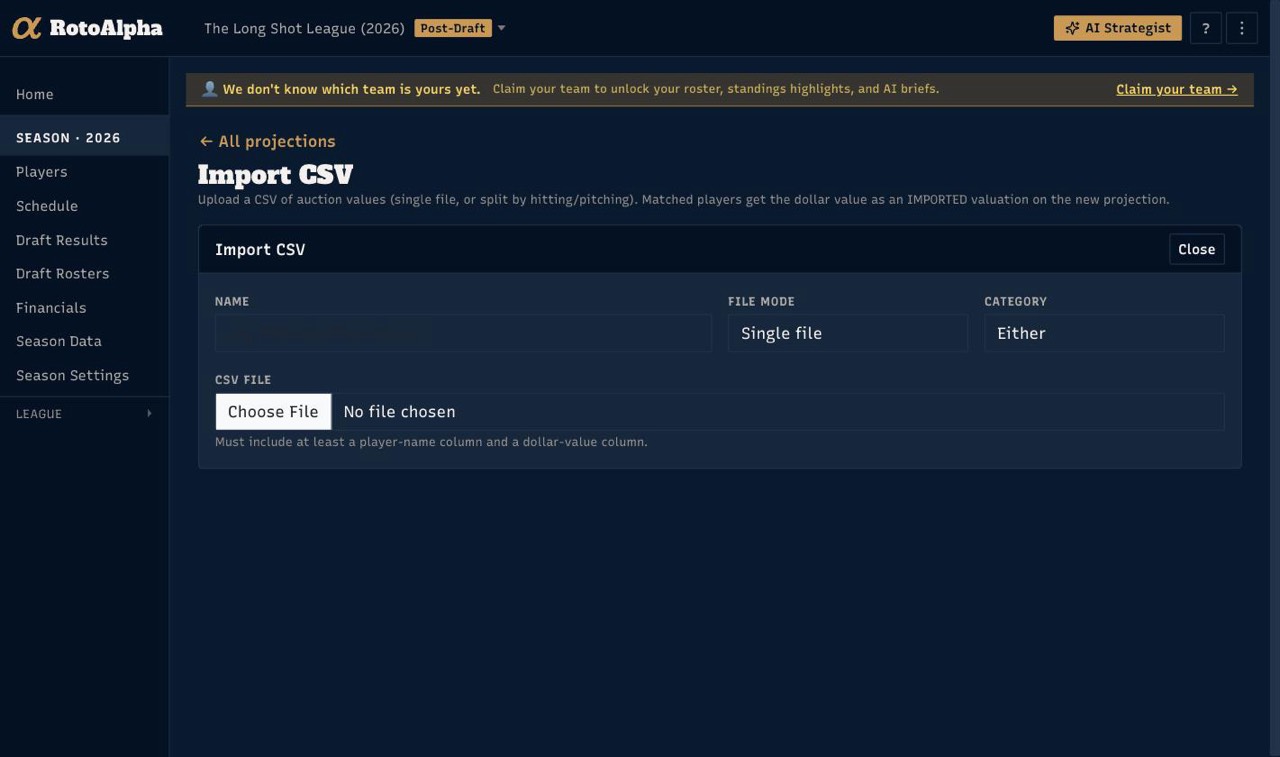
- Name it. Something you will recognize later, such as "2026 auction values". You can hold several sets side by side.
- Choose the file mode. A single file is the normal case. Baseball leagues often keep hitting and pitching in separate exports, so there is a split mode that takes one file for each.
- Pick the file. It needs at least a player-name column and a dollar-value column. Stat columns are welcome and are matched by their abbreviation.
Match the columns
RotoAlpha shows every column in your file and what it thinks each one is.
Player name, real-life team, position and dollar value have named slots.
Everything else is treated as a stat abbreviation and matched against your
season's scoring categories, so a column headed RushYds or HR lands where
you would expect.
Anything you do not want brought in can be left as skipped.
Check the preview
Every row is shown with the player it matched and a running count of how many resolved. Rows that did not match a player are flagged rather than silently dropped.
You do not have to fix every one before importing. Unmatched rows are kept and can be resolved later with Rematch unmatched rows on the Projections page, which re-runs the name matcher and promotes anything it can resolve into a real player link. That is usually the better order: import, then clean up.
Make it the active set
Your league's home page carries a Projections chip naming the set currently in use, from pre-draft through the season. Click it to switch: it offers the built-in RotoAlpha set (rebuilt daily) and every set you have uploaded.
The active set is what feeds:
- draft prices and the values you draft off,
- projected standings,
- trade analysis.
So switching the active set changes the numbers across the app, not just on the Projections page. The chip shows how old the active set is, which is the thing worth watching: your own upload does not refresh itself.
Update a set later
When you have a newer export of the same source, use Refresh from CSV on the projections chip rather than importing a second copy. It updates the set in place, so anything already pointing at it keeps pointing at it.
A note on where numbers come from
RotoAlpha's own projections are ours: built and run by us, from public data. Numbers you upload stay labeled as yours. We never describe an uploaded set as ours, and the two are kept distinct everywhere they are shown. See how RotoAlpha works for how the built-in projections are built and tested.
More in Getting your data in
- Paste your draft resultsCopy the draft recap from wherever your league drafted, paste it in, and check the preview.
- Import data from a CSVWhat columns are expected, how column matching works, and how to fix rows that do not match.
- Type in your draft resultsRecord picks by hand, one row at a time, when there is nothing to copy and no file to upload.
- Import your league's historyAdd past seasons one year at a time, and get the same manager recognized across all of them.