Getting your data in
Paste your draft results
Pasting is the quickest way to get a draft into RotoAlpha. You copy the draft results from wherever your league drafted, paste them into a box, and check what was read before anything is written.
Where to do it
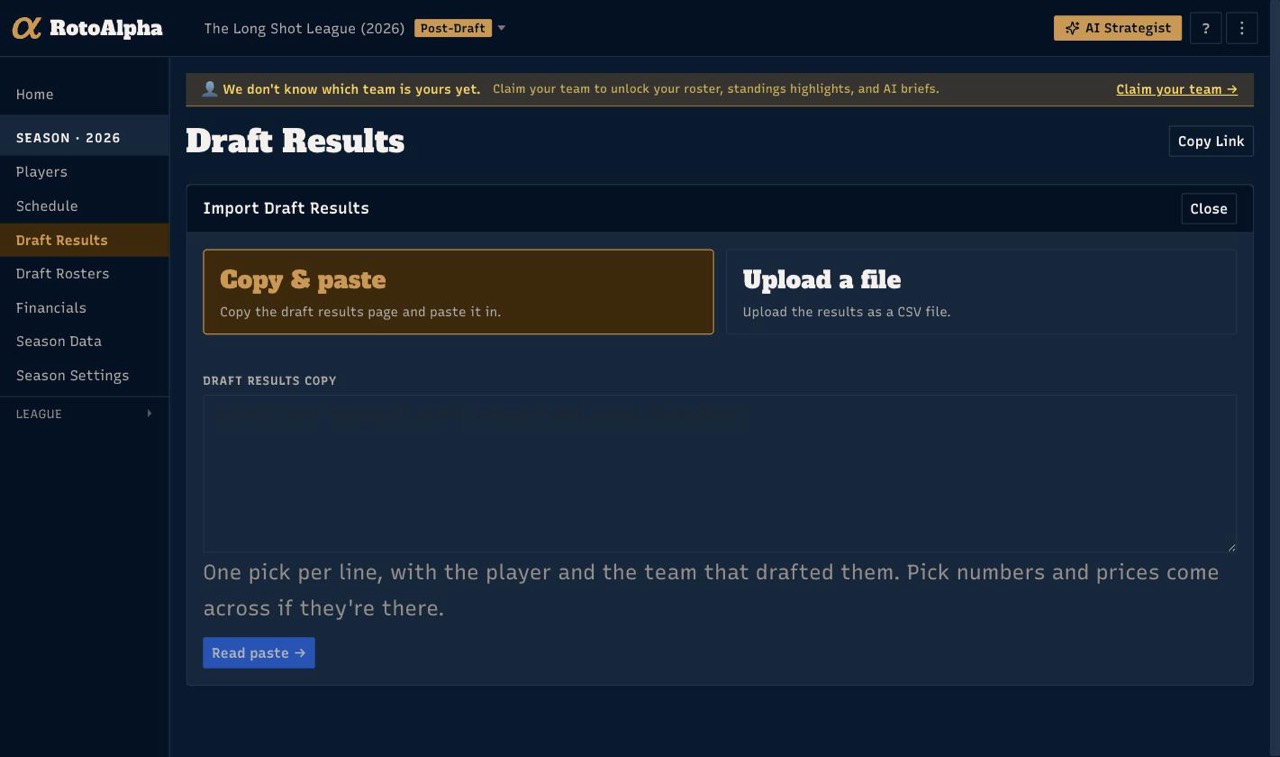
Open Season Checklist and choose Import on the Draft Results row, or open Draft Results in the left sidebar and choose Import Results…, then pick Copy & paste. The other two methods in that switch are Upload a file, for a spreadsheet, and Type it in, for picks you record by hand.
The easiest copy is the whole page: open the draft results or draft board wherever your league drafted, select everything (Ctrl+A, or Cmd+A on a Mac), copy, paste into the box, and choose Read Draft Results →. A messy copy is fine. RotoAlpha finds the picks and skips headers, ads, chat and whatever else came along.
What a paste should look like
RotoAlpha reads a table: one pick per line, with cells separated by tabs or by runs of two or more spaces. Most draft recaps copy out of a page in roughly this shape already, so in practice you select the recap, copy, and paste.
A snake draft usually copies out looking something like this:
Round   Pick    Player                       Team
1       1       Ja'Marr Chase (Cin - WR)     Bench Mob
1       2       Bijan Robinson (Atl - RB)    Gridiron Ghosts
1       3       Justin Jefferson (Min - WR)  Two Minute Warning
An auction draft carries a price instead of a pick number:
Player                          Salary  Team
Ja'Marr Chase (Cin - WR)        $61     Bench Mob
Bijan Robinson (Atl - RB)       $58     Gridiron Ghosts
Justin Jefferson (Min - WR)     $54     Two Minute Warning
Two things are worth knowing about how that is read:
- The player cell is unpacked for you.
Ja'Marr Chase (Cin - WR)becomes a name, a real-life team, and a position. You do not need to split it into separate columns first. - "Team" in a draft recap usually means the fantasy team. RotoAlpha assumes the team column is the manager who drafted the player, and takes the real-life team from inside the player cell. That is nearly always what a recap means, but it is worth a glance at the preview.
A header line is optional. Pick numbers, round numbers and prices come across if they are there and are simply left out if they are not.
Some sites copy out as the draft board itself rather than a table: each pick as a few short lines (the pick number, the player, the position and team), with the manager's name at the top of each column. That shape is read too. Paste it as-is, manager headings included, and select the whole board if you can. A full board lets RotoAlpha work out each pick's overall number, where a partial one only says the round.
Nothing saves until you confirm the picks
Once the paste is read you walk four steps, named across the top: Columns, Match Managers, Match Players, Picks. Each one asks a single question, and nothing is written until the last one. You can click back to any step you have already reached.
Columns. Opens with what was read, in plain terms: how many picks, by how many managers, and the first few shown as picks rather than as raw cells. If that reads right, carry on. The column mapping sits folded behind Something's in the wrong column? Adjust how columns were read, and opens itself when the guess came up short. Player and manager are required; price is required as well for an auction draft, unless you tick the box saying this source doesn't record prices (true of plenty of older leagues, where the commissioner wrote down who got whom and nothing else). Storing no price is not the same as storing $0.
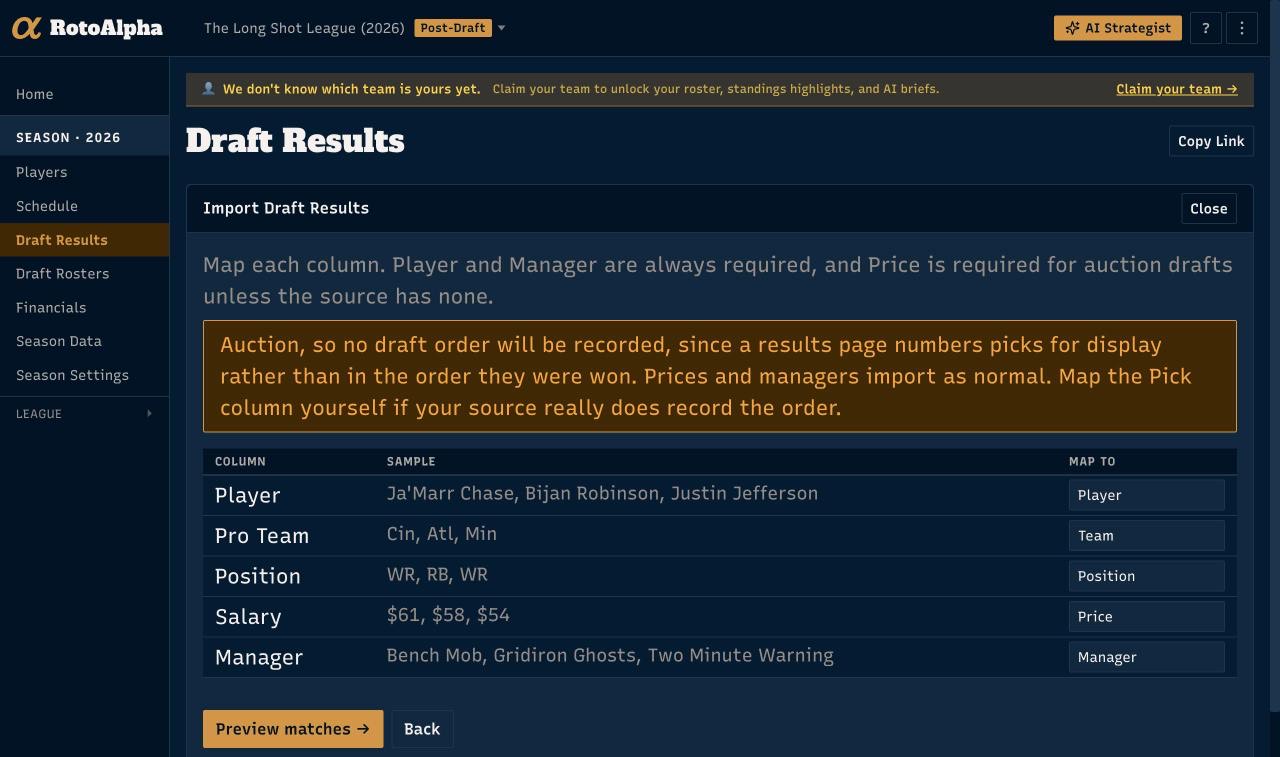
An auction import tells you here that no draft order will be recorded. That is deliberate: a results page numbers picks for display, not in the order they were won, so a recorded order would be fiction. Map the pick column yourself if your source really does track it.
Match Managers. One row per team name in the import, matched to a manager in your league. This is the step worth slowing down on: a name left unmatched skips every pick belonging to it. Where RotoAlpha can suggest a match it offers one, and Use the suggested matches takes them all at once. Because it works per name rather than per pick, a name you fix here fixes every pick that carries it.
Match Players. Every row with the player it matched: a sure match, a close match (a name that nearly matched, shown with how close), or no match. The filter opens on the rows that need you, so you land on the close matches when there are any and the unmatched ones otherwise. Accept all close matches takes them in one go once you have eyeballed them. A row with no player chosen is skipped, and you are told how many.
Two things get flagged here because they are usually mistakes: players the season does not have yet, which will be created if you say so, and players that already have a recorded pick, which are left alone unless you choose to re-import them.
Picks. The draft as it will land: pick number, player, what it imports as, manager, price where there are prices, and who kept whom. A line above the table says how many of the rows will import. Confirm here, and the picks are written.
If the paste carries prices but the season is set up as a snake draft, you are told so, and the fix is one button: This was an auction. Set the season to match. It changes the season's draft type in place, so you do not have to leave for Settings and start over. An auction set that way starts on a $200 budget, which Season Settings can change if your league uses another.
When a line does not parse
An unreadable line is skipped rather than failing the whole paste. Page furniture that came along with a whole-page copy is dropped quietly, since you did not mean to paste it and there is nothing for you to do about it. What you are shown instead is a short count of things worth checking, folded under the read summary, in the app's own terms rather than as line numbers.
So a paste that mostly worked is worth keeping. Add a pick, at the foot of the results ledger, opens a row you type the rest into: the odd lines that did not read, and the picks the paste never reached at all. It fills the holes first, so the pick numbers stay where they belong. See type in your draft results.
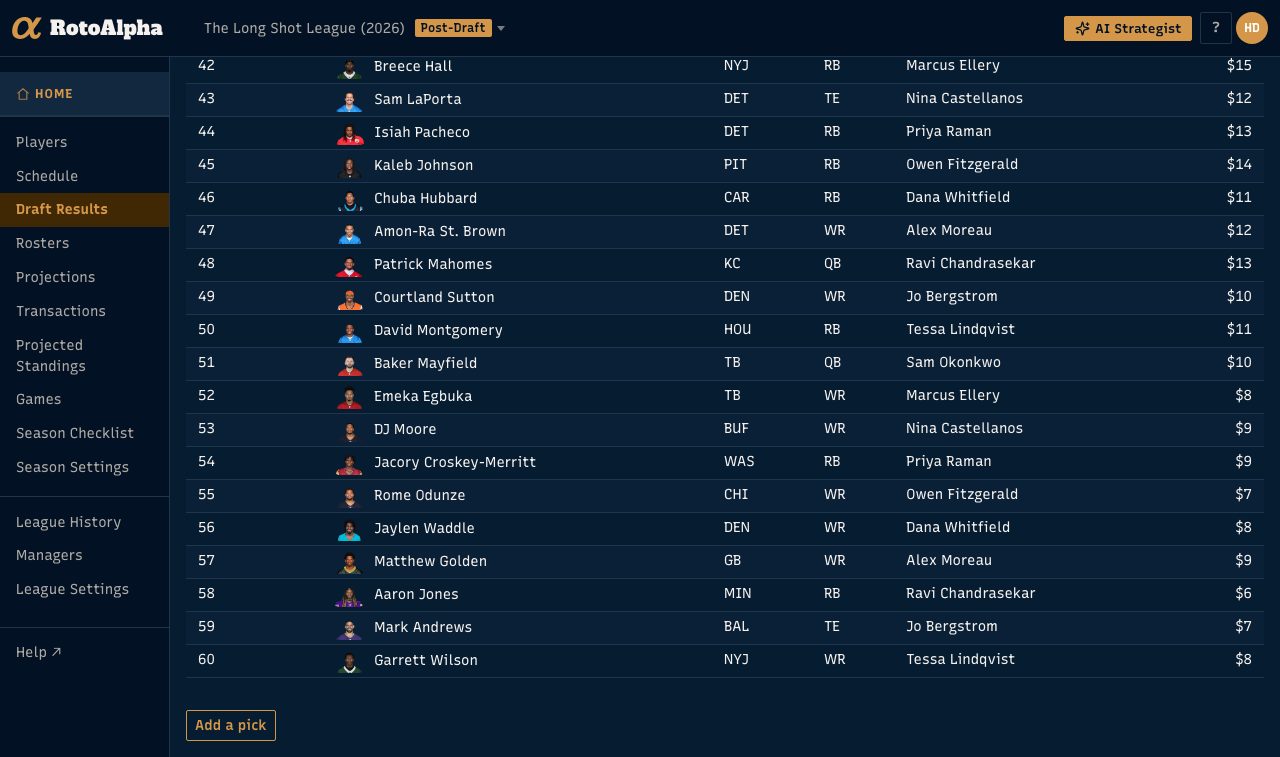
Notes are shown separately from warnings. A note is the paste telling you something true, such as a pick that never happened, rather than a line RotoAlpha failed to read.
If the numbers on the Columns step look nothing like your draft, there is one more thing to try before giving up: Have the AI read it takes another pass at the same paste with a reader that copes with layouts the parser only grazed. It lands on the same four steps, so you still see everything before it saves.
If pasting will not work
Some sources do not copy cleanly out of a page. In that case export what you have to a spreadsheet and import it as a CSV instead. Both paths converge one step in: Columns, Match Managers, Match Players and Picks are the same either way.
If there is nothing to copy and no file to export, because the draft only ever existed on paper, type the picks in instead.
More in Getting your data in
- Import data from a CSVWhat columns are expected, how column matching works, and how to fix rows that do not match.
- Type in your draft resultsRecord picks by hand, one row at a time, when there is nothing to copy and no file to upload.
- Upload your own projectionsBring your own numbers, and understand what the active projection set changes.
- Import your league's historyAdd past seasons one year at a time, and get the same manager recognized across all of them.